Organize Photos by Similarity with groupImg
The public groupImg repository is a fork of victorqribeiro/groupImg, a Python utility created to make a huge recovered-photo collection easier to inspect. It uses k-means clustering to divide images into groups based on visual similarity.
After installing the repository's requirements, the command-line version accepts an absolute image directory:
pip install -r requirements.txt
python groupimg.py -f /home/user/Pictures/ -k 5
-k chooses the number of output groups. The optional -s flag adds image size as a feature, which can help separate thumbnails from full-resolution photos. By default the tool copies files; -m switches to moving them, so it is safer to begin without that flag.
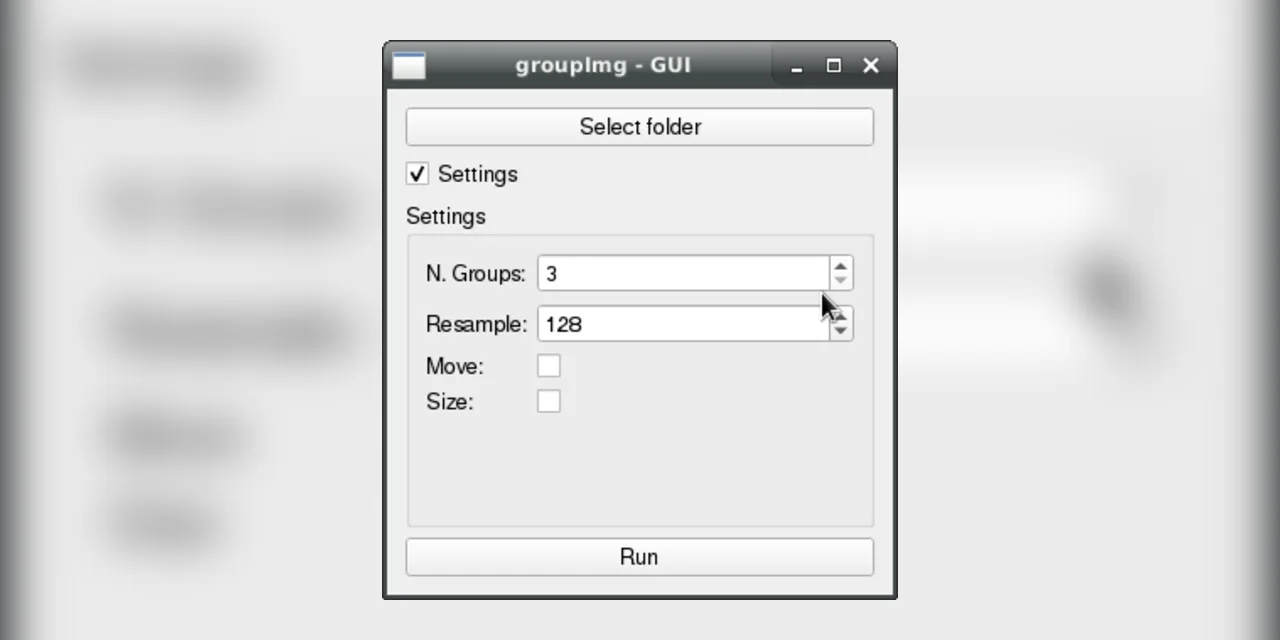
The repository also includes a small GUI launched with python groupImgGUI.py. It exposes the folder, cluster count, resampling size, copy-versus-move choice, and size feature without requiring the CLI syntax.
K-means does not understand the meaning of a photograph. It simply places feature vectors into nearby clusters, so the result is a browsing aid rather than a perfect semantic album. That modest goal is exactly why the script is useful: turn one impossible directory into several smaller piles that a person can review.
Browse the Alchemist-Aloha groupImg fork for the source and original project history.